A practical order for your information
You decide what belongs in your introduction. Religious details, a photograph, income, and partner preferences are optional. Leave out a field when it does not apply, or rename it to suit your circumstances. A city can be sufficient for an initial introduction; you do not need to publish your full residential address.
| Section | What you might include |
|---|---|
| Introduction | Full name and a short About Me paragraph |
| Personal details | Date of birth, height, current city, and mother tongue |
| Education and work | Qualifications and present occupation |
| Family | Parents, their occupations, and siblings, as relevant |
| Traditions, if relevant | Religion, community, gotra, rashi, or nakshatra |
| Contact | Contact person’s name, phone or email, and city |
| Partner preferences | A brief description of the values and plans important to you |
A filled example
The following details are fictional and illustrate the structure. Replace every example value before sharing your own biodata.
A fictional sample is a starting point for wording, not a model of what your family must share. Use accurate details and your own voice. Check names, spelling, qualifications, and the contact person’s permission before sending the document.
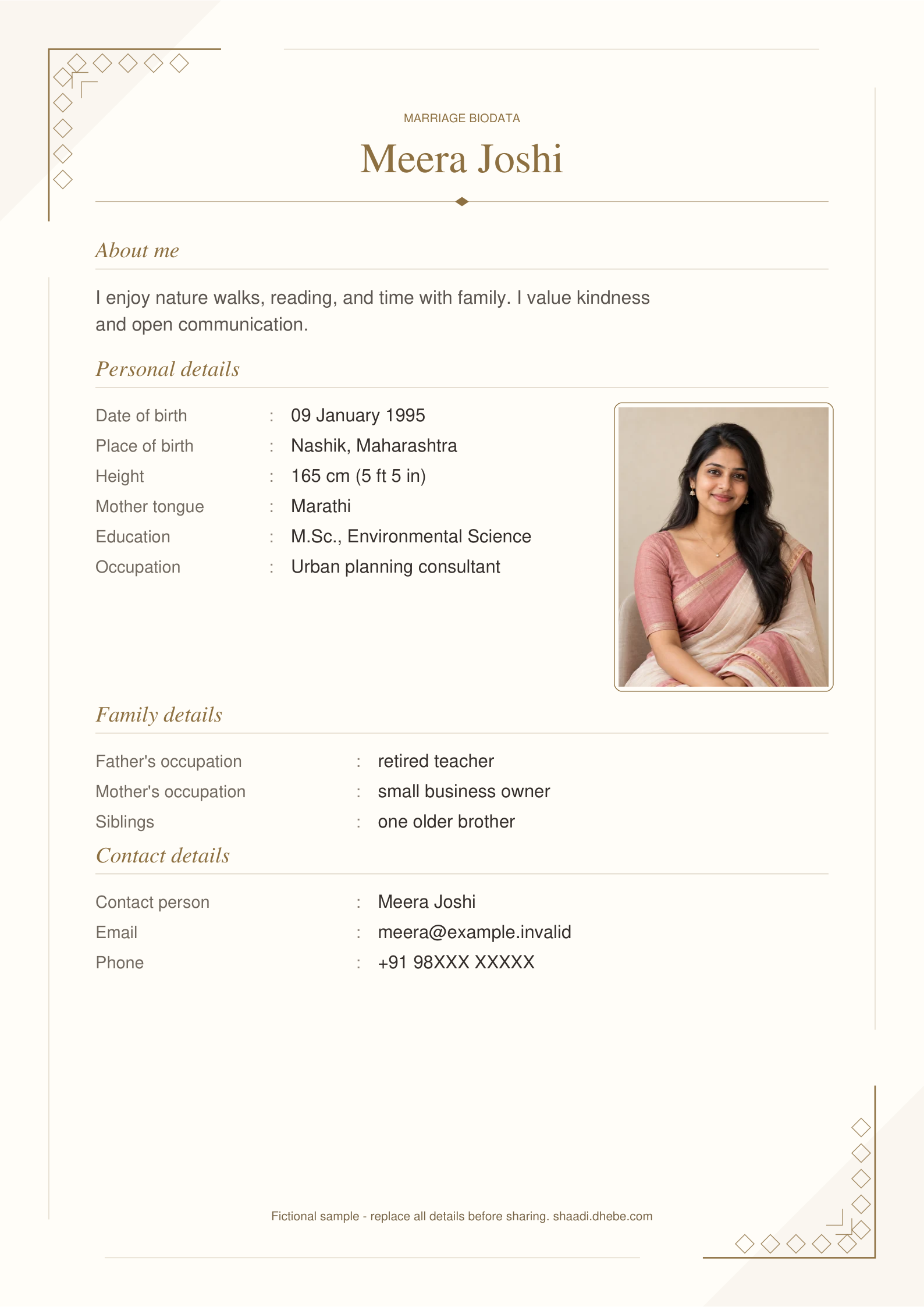
| Field | Fictional example |
|---|---|
| Full name | Meera Joshi |
| Date of birth | 09 January 1995 |
| Place of birth | Nashik, Maharashtra |
| Height | 165 cm (5 ft 5 in) |
| Mother tongue | Marathi |
| Education | M.Sc., Environmental Science |
| Occupation | Urban planning consultant |
| Family | Father: retired teacher; mother: small business owner; one older brother |
| About Me | I enjoy nature walks, reading, and time with family. I value kindness and open communication. |
| Contact person | Meera Joshi |
| meera@example.invalid | |
| Phone | +91 98XXX XXXXX |
Two short About Me examples
These fictional writing examples can help you get started. Change the interests and wording to reflect your own life.
- I enjoy reading, weekend walks, and time with family. I value thoughtful conversations and would like a partnership built on kindness and shared responsibilities.
- I enjoy learning new skills and exploring new places. I hope for a relationship where both people can discuss plans openly and support each other’s interests.
Create this format in Milan
- Open the biodata maker and choose your language. The form and guidance are available in English, Marathi, Hindi, Bengali, Telugu, Tamil, and Gujarati. More languages adds four additional document-label languages.
- Enter your name and chosen details. Use Add a field for information such as a native place or hobby. Select a label to rename it, use the arrows to reorder it within a section, or remove it with the × control. Empty fields are omitted from the document.
- Type your birth date in day/month/year order. Entering 09011995 becomes 09/01/1995 in the form and 09 January 1995 in the English preview. Other selected languages use their own month names. Correct any date warning before downloading.
- Add an optional JPG, PNG, or WebP portrait up to 5 MB. Crop it in the frame, then choose a position in the header or beside Personal Details.
- Try the 30 designs and review every page. Symbols and photos are optional. Changing the design preserves your entered details; changing language preserves your own written text and renamed labels.
Download, print, and keep an editable draft
PDF includes every page and is suitable for printing or sharing. PNG downloads the current preview page as an image; select another page with the preview arrows if needed. Print the PDF on A4 paper with Fit to page, and check a copy before making several prints.
The saved draft belongs to this browser and device when local storage is available. For later edits or another device, use Save draft backup in the Download step and keep the JSON file private: it includes your photo and personal details. Restore that file to continue editing. Clearing browser storage or deleting the draft requires a previously saved backup to recover it.
A document backup restores your details and photo; paid download access uses a separate private access file. For an eligible verified purchase, open Private purchase-access backup in the original checkout browser and choose Save private access file. On another browser, restore the matching document backup first, then choose Restore private access file. The server checks the original purchase before restoring access; the file does not guarantee that every purchase can be transferred.
Keep the access file separate from the document backup. Anyone holding it can request access to that purchased draft: do not share it publicly, include it in a biodata, or email it to support. The file can be used to restore access for 90 days after it is created; it cannot recover deleted text or photos. Keep your payment reference and contact support@dhebe.com before paying again if the file is unavailable, expired, or recovery is declined.
All 30 designs support PDF and PNG downloads, without a watermark or sign-up. You can return to the editor to make changes and download the updated version.